
Import Contacts Into Groups and Topics with a CSV File
Create a CSV file with columns for the Contacts' First Name, Last Name, and Email
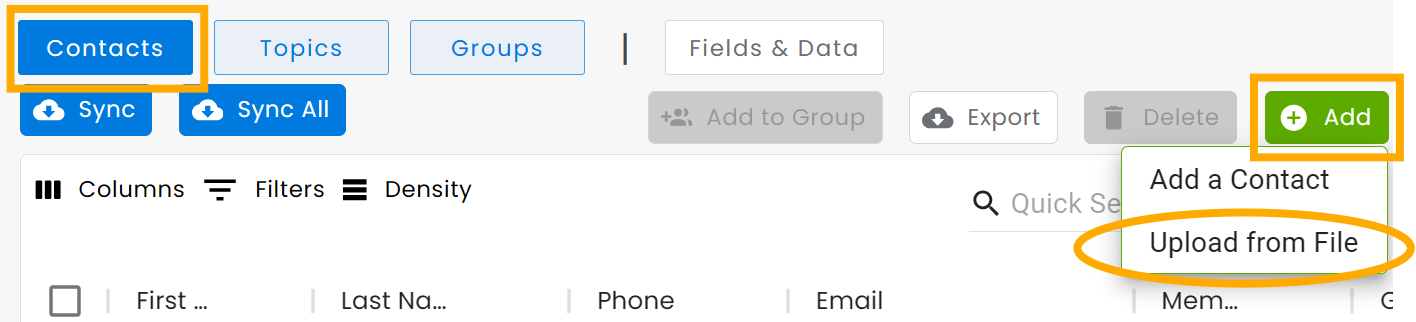
In the Manage screen, click on Contacts then on Add at the top right and select Import from File
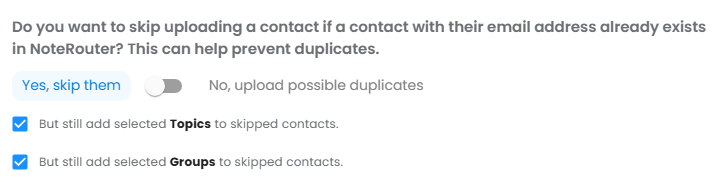
Select the CSV file, and answer the Organizing your New Contacts questions. Make sure to NOT allow duplicates
Check the boxes for "But still add selected Topics to skipped contacts" and "But still add selected Groups to skipped contacts".
This allows you to avoid duplicates, but still add your full list to your selected Topics and Groups
Select Members or Nonmembers as your Contact Type
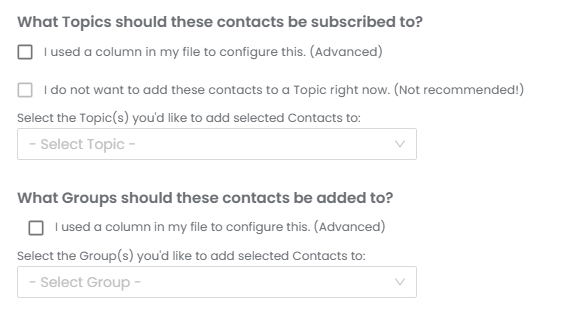
Then Select your Topics and Groups to assign to your Contacts using a column in your file, or the drop-down list to Select Topic
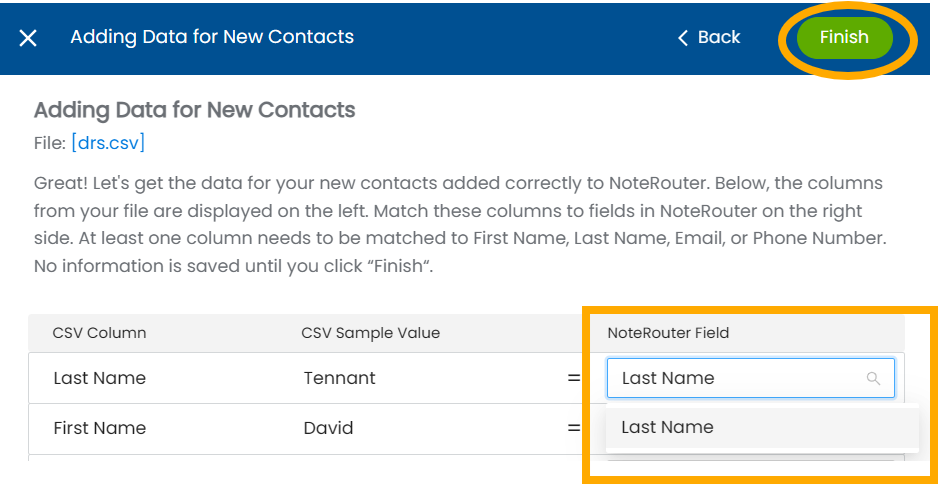
Finally, click Finish again once they've loaded - now your new Contacts are in NoteRouter!