
Edit your Status, Audience, or Stages on any Automated Campaign
Go to Automation in the Menu Bar or click on the birthday cake icon from the Menu Bar.
Click on any Automated Campaign and then on Edit Campaign on the top right.
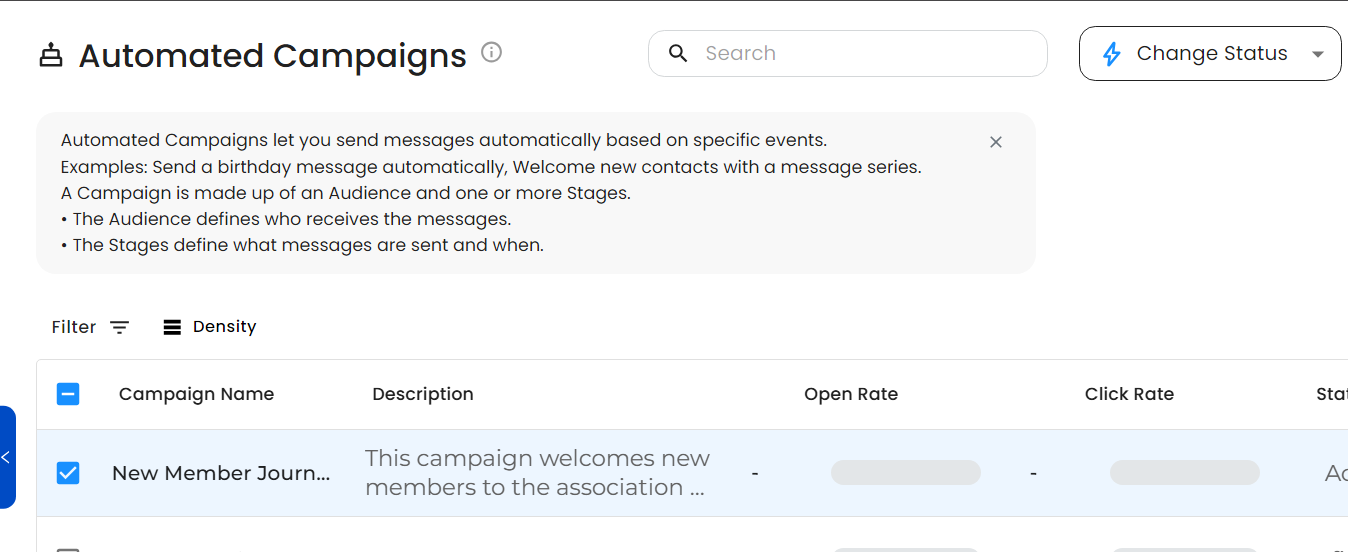
To update the Status - check the Campaign Name you want to change, and then on Change Status on the top right. Your changes will be Auto-saved.
To update the Audience - click on the Campaign and then on Edit. Navigate to the Audience, and select a Topic, or add/remove any Groups or Filters you like. Your changes will be Auto-saved.
To update the Stages - click on the Campaign and then on Edit. Rename, Update, or reorder your Stages, or their connected Messages. Your changes will be Auto-saved.