
Set up drip campaigns for your Contacts from the Automation page
Go to Automation in the Menu Bar and click New Campaign on the top right to create an Automated Campaign. Name your Campaign by clicking on Update Campaign Details
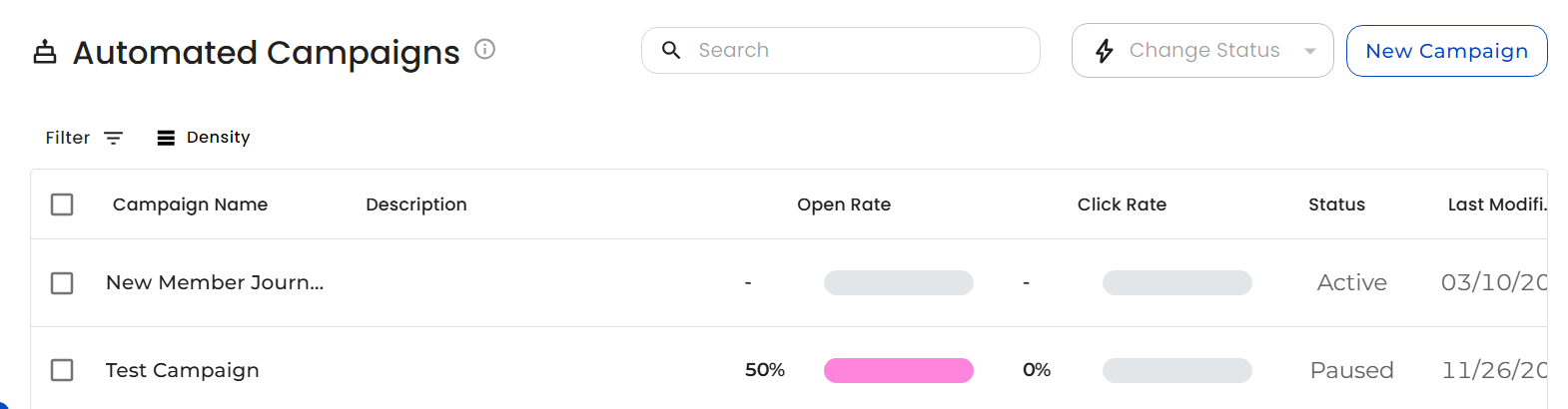
NOTE: all new Automated Campaigns are set to Paused until setup is complete.
To set up your Stages, choose a Stage Condition timeframe, such as"1 day(s) before" and your condition type, such as "Birthday".
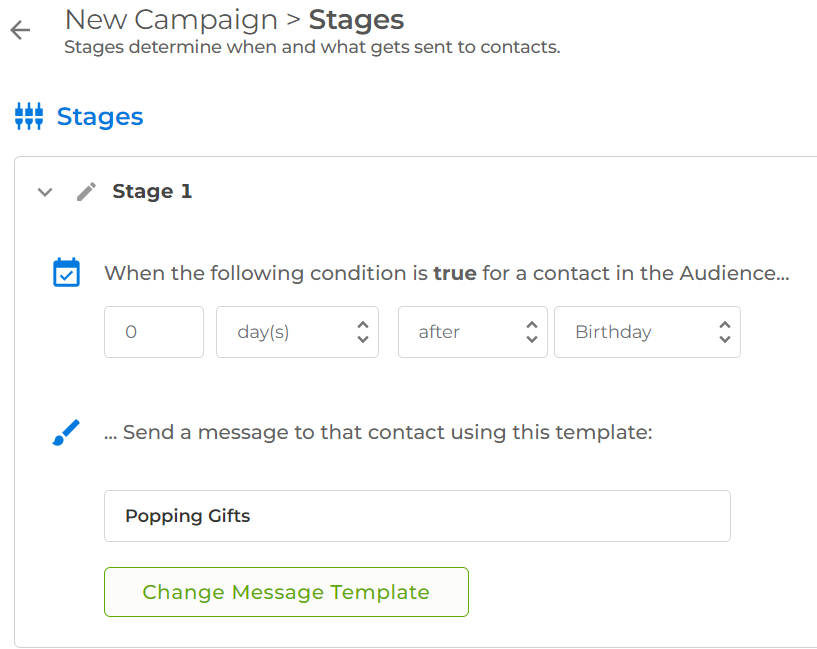
Click on Select Message to add the Message you want to send with that Stage. Click Confirm to go back to your Stages
Add any additional Stages and click Continue or Audience to pick which Topics or Groups will be included. For example, select "Mandatory" so it looks in all Contacts for anyone who will match the Stages that you set up.
Click on Review to see who is scheduled to receive Messages in the coming month, based on your current data.
Update the campaign status to Active and click Finish. Now Messages will be sent automatically whenever a Contact matches the set Stage Condition.