
You can Exclude specific Contacts from your Audience, even if they are in the Groups and Topics you have selected
From the Audience page under Create and Send, click on Contacts at the top. Find the Contact you want to Exclude and click the circled X to the left of their name to exclude them. You can Exclude multiple Contacts.
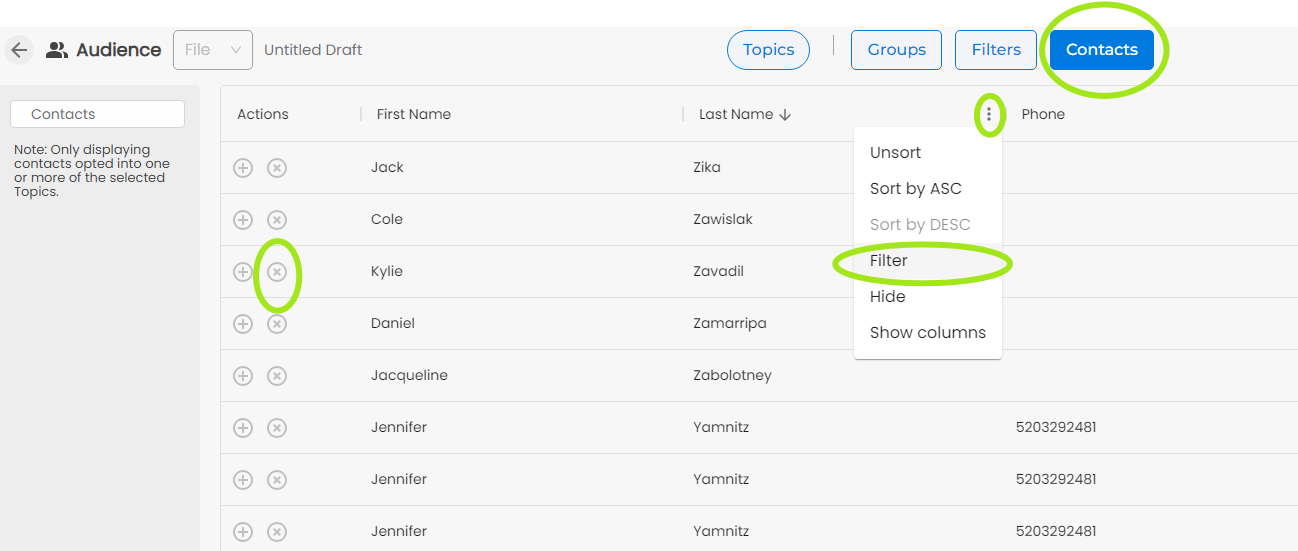
You can search for the recipient by hovering over Last Name and clicking on the three dots, then selecting Filter.
NOTE: You can save this Audience and use it again. Click File on the top left and saved it as a Saved Audience. To use it later, click on File and select Apply Saved Audience.