Set up your Message to Send a Message at a future date and time
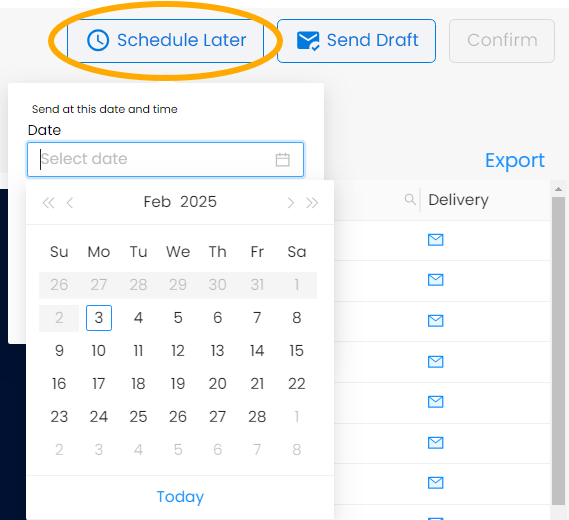
From the Preview page, click on Schedule Later at the top right. Pick the date and time you want the Message to send and click on Okay then on Confirm

Modified on: Mon, Feb 3, 2025 at 11:17 AM
Set up your Message to Send a Message at a future date and time
From the Preview page, click on Schedule Later at the top right. Pick the date and time you want the Message to send and click on Okay then on Confirm
Did you find it helpful? Yes No
Send feedback