See Contact Detail Drawer from your Manage Screen
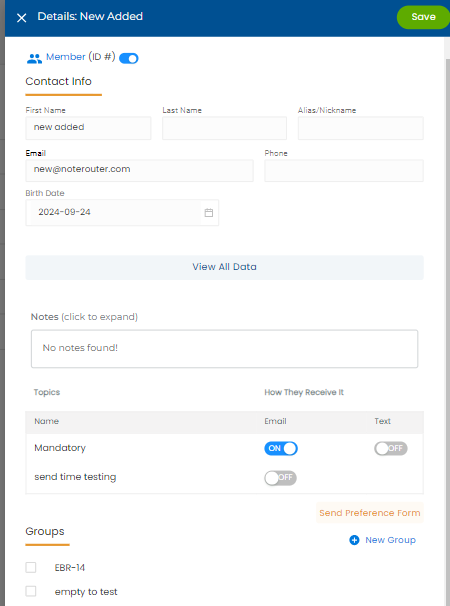
You can see a Contact's details by clicking on their name in the Manage page. Scroll down to see the Contacts Groups and Topics. You can also click on View All Data to see more.
Links:

Modified on: Wed, Mar 26, 2025 at 12:06 PM
See Contact Detail Drawer from your Manage Screen
You can see a Contact's details by clicking on their name in the Manage page. Scroll down to see the Contacts Groups and Topics. You can also click on View All Data to see more.
Links:
Did you find it helpful? Yes No
Send feedback